
Sponsor Settings
To define sponsor settings, follow the steps below:
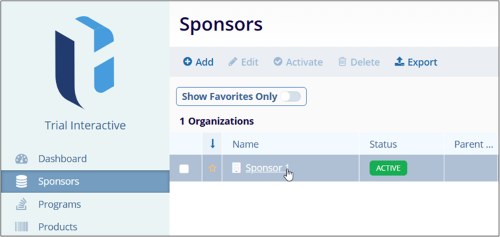
- From the left-hand navigation links, select Sponsors. The Sponsors screen opens with a list of sponsors at a global level.
- Click on the Sponsor name.
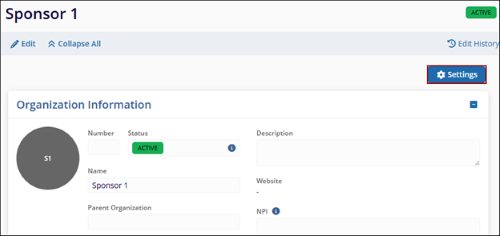
- On the Sponsor Details screen, click on the Setting button in the top-right of the
screen. This opens the Sponsor Settings-> Milestone Template’s screen.
Note:
To learn more about Milestone Templates functionality. For Example, Add, Delete, Publish and Copy Refer to Milestones section.
© 2025 Trial Interactive. All Rights Reserved

